The catalog browser at /items is the main entry point to the catalog. This guide covers every filter and sort option, along with the URL query-string structure if you want to bookmark or share a specific view.
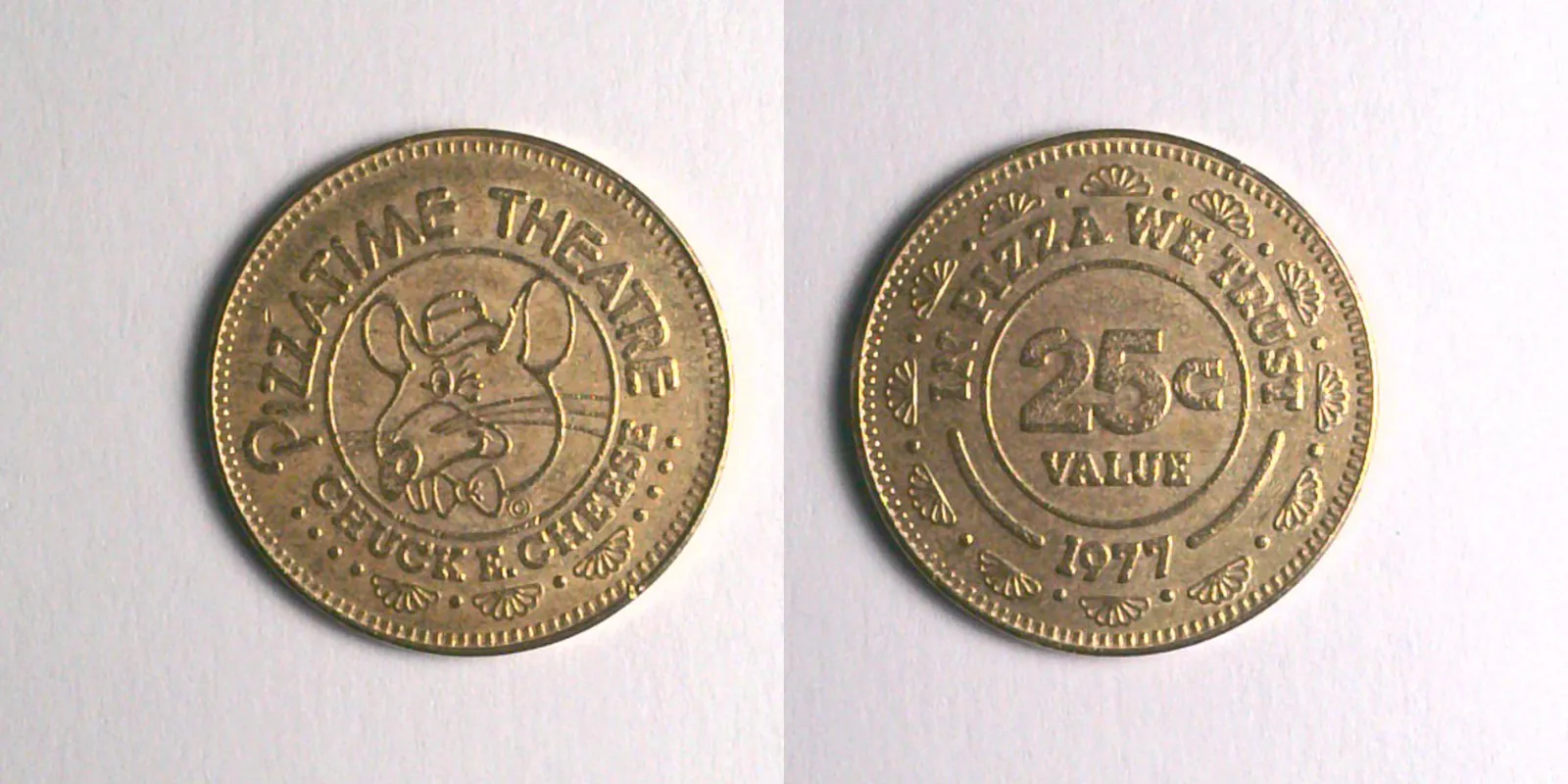
1977 Chuck E Cheese Token (101B)
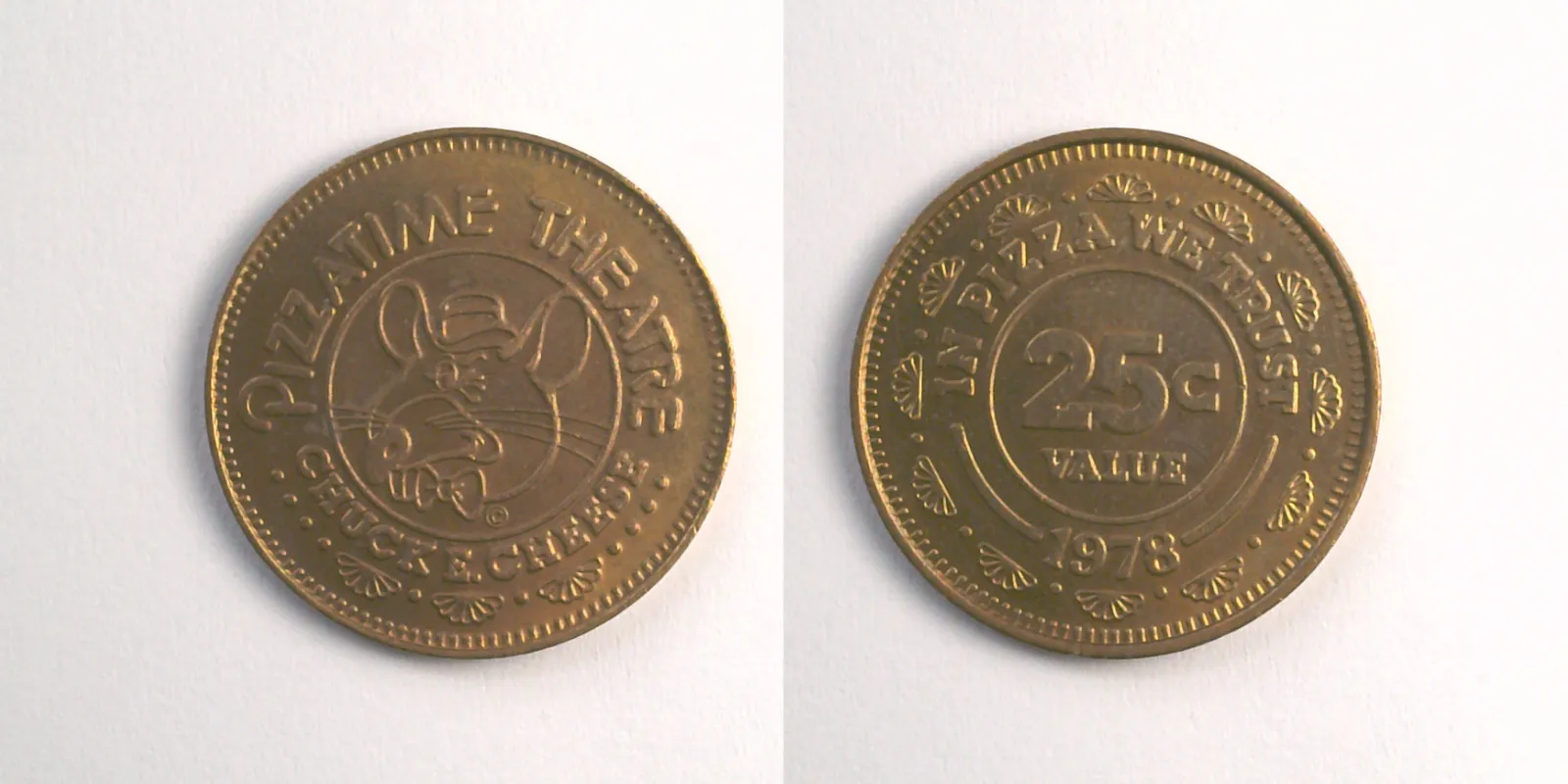
1978 Chuck E Cheese Token (102B)
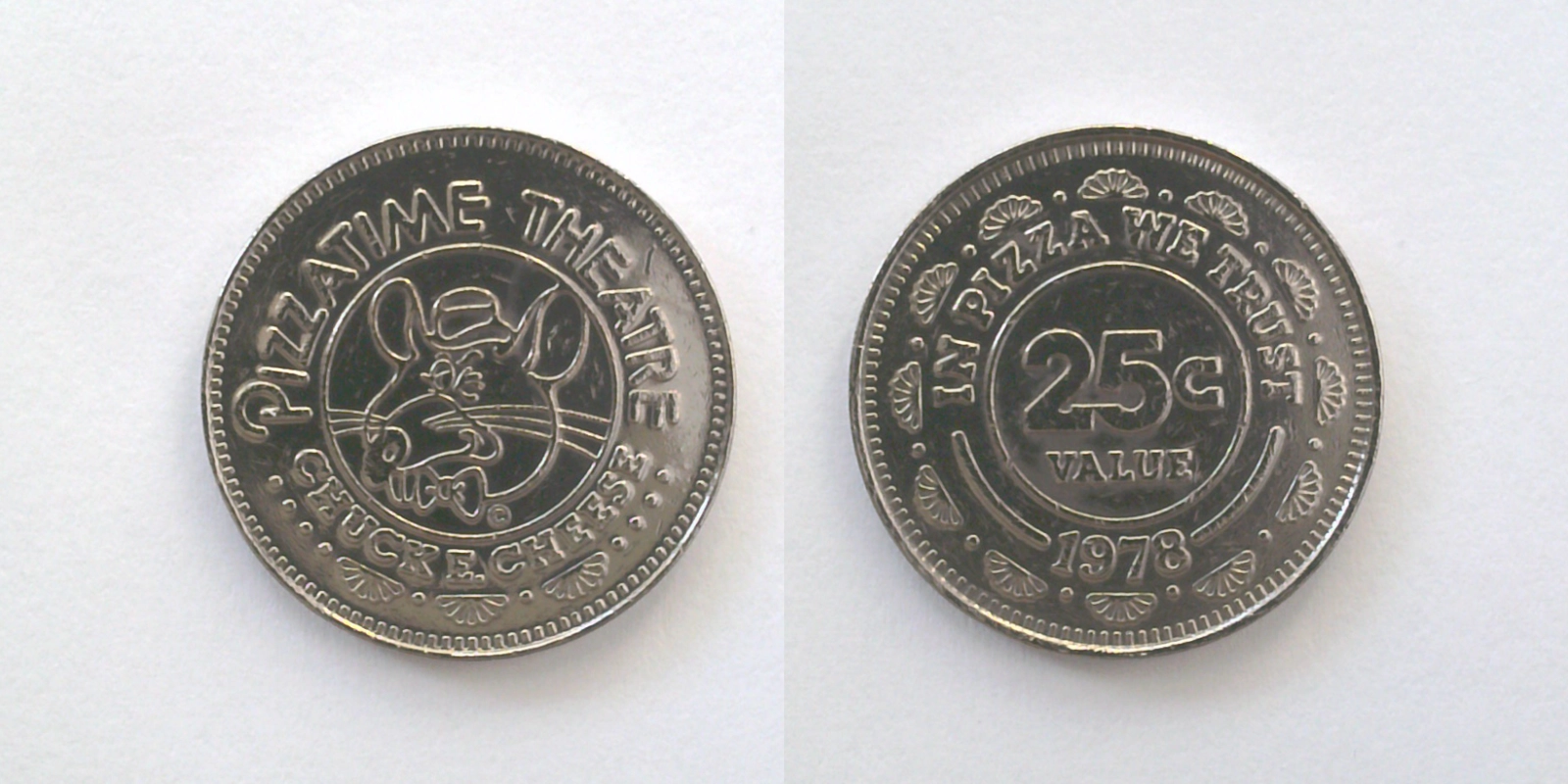
1978 Chuck E Cheese Token (102N)
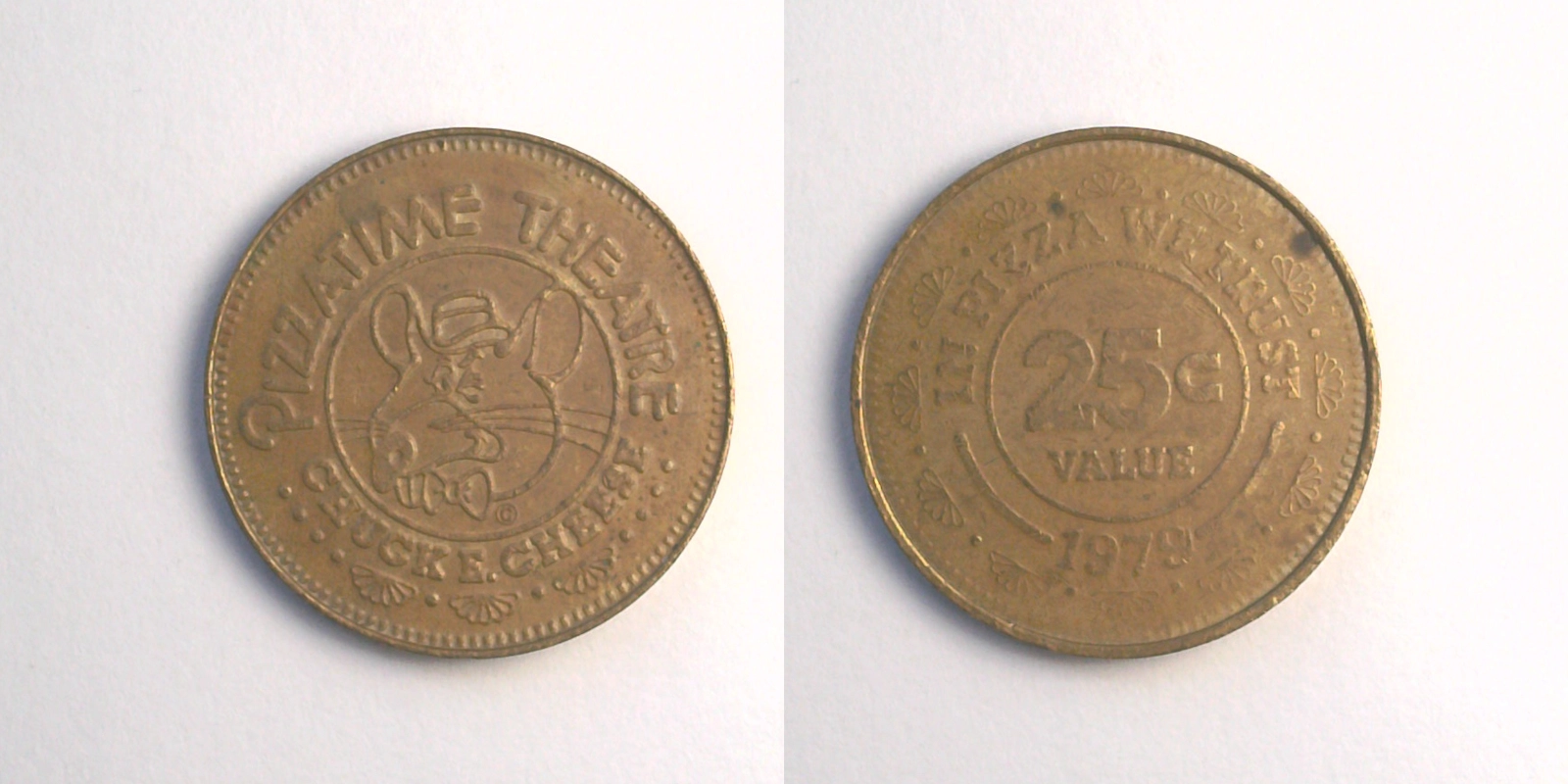
1979 Chuck E Cheese Token (103B)
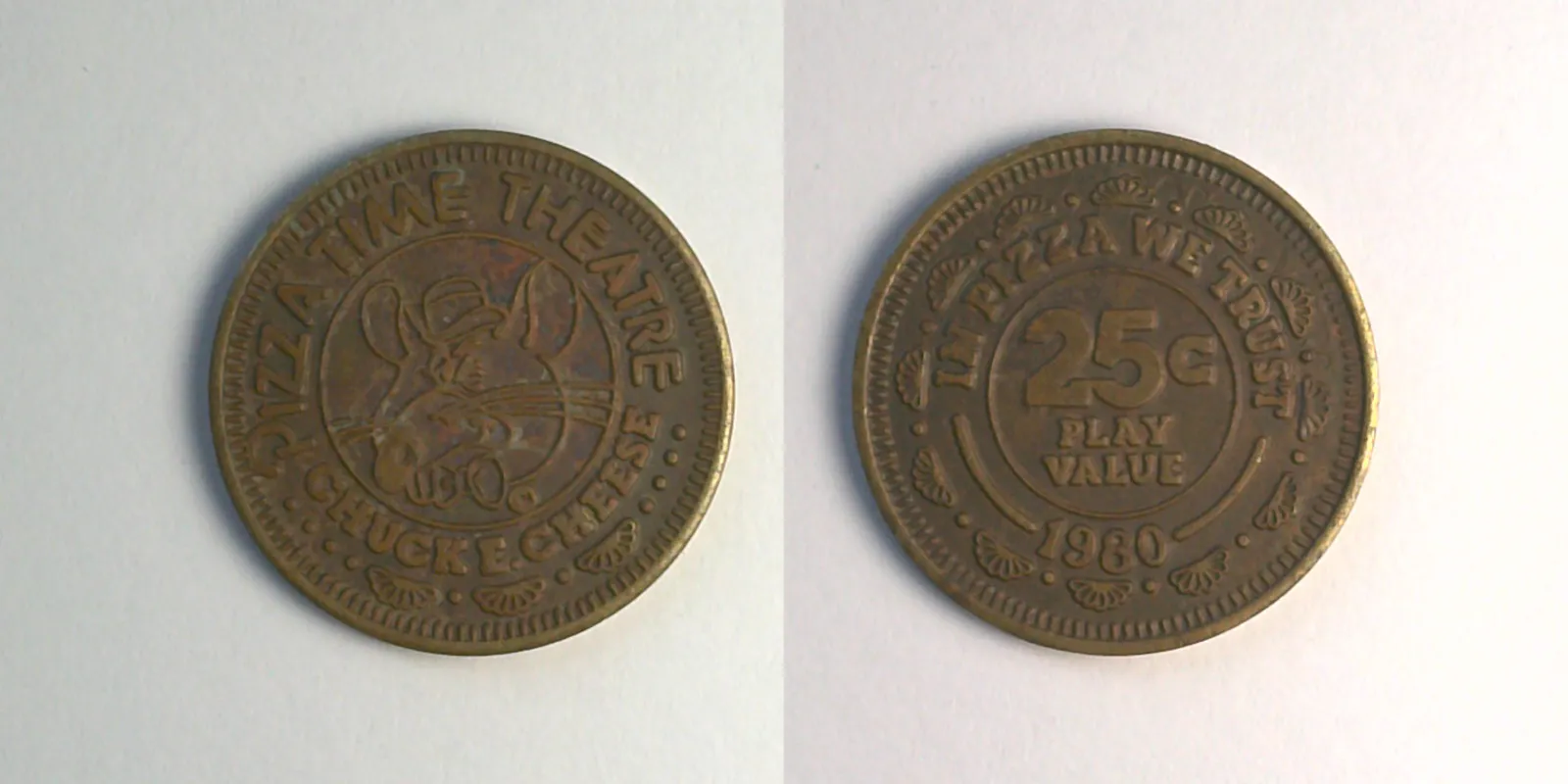
1980 Chuck E Cheese Token (104B)
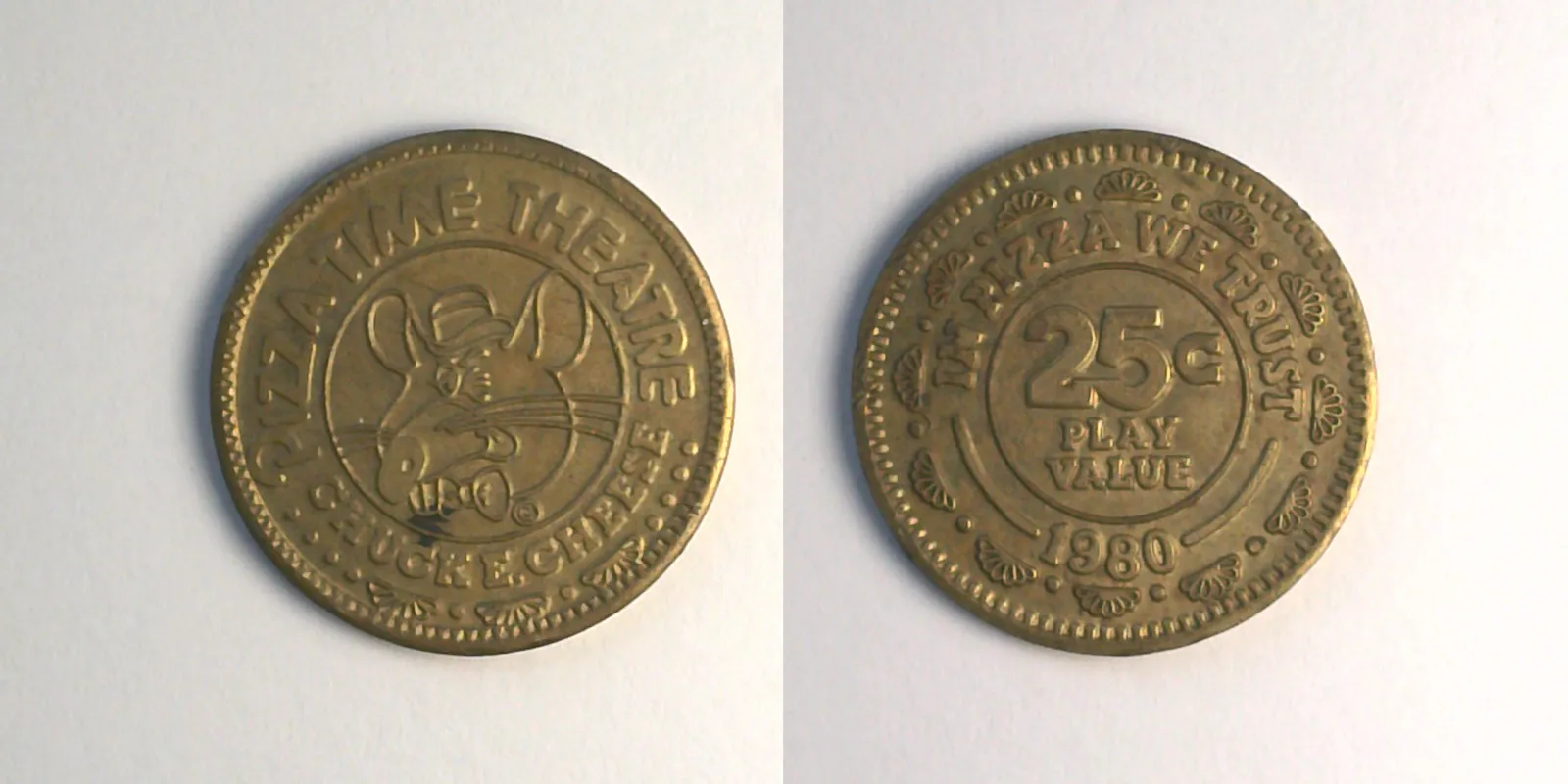
1980 Chuck E Cheese Token (105B)
The basics
Without any filters applied, /items shows every token in the catalog ordered by catalog code. There are 914 items in total spread across 145 brands and 5 brand groups.
The page paginates at 16 items per page. Most filters are sticky: setting them updates the URL so you can come back to (or share) the same view.
The brand-group filter
Brand groups are the top-level categorization on the site. There are five:
- Chuck E. Cheese (the flagship brand and one sister brand)
- CEC Related (Peter Piper Pizza, Pistol Pete's Pizza, and other chains in the CEC corporate family)
- Showbiz Pizza (the original ShowBiz Pizza Place)
- SPP Related (the Billy Bob's family, Rock-afire venues, international animatronic chains)
- Other (Discovery Zone, Leaps & Bounds, Jeepers, Bullwinkle's, and the long tail)
Click the brand-group chip at the top of the browse page to filter to that group. The chip tints with the group's color. The URL picks up ?brand_groups=cec (or whichever slug).
Drilling into brands and types
Once a brand group is selected, the brand and type filters become useful. They're powered by the same chip pattern:
- Brands: narrows to a specific brand within the selected group. For example, with Chuck E. Cheese brand group selected, you can drill into just Chuck E. Cheese (the main brand) versus Charlie Cheese's Pizza Playhouse (the sister brand).
- Types: narrows to a specific type within the selected brand. For Chuck E. Cheese, these are the five major design eras (Type 1a Rat Heads, Type 1b City Tokens, Type 2 Tux Chucks, and so on). Type filters only show when at least one brand is selected, because type IDs aren't shared across brands.
Compositions and vintages
Two additional filters narrow on physical attributes:
- Compositions: pick from brass, nickel, copper, anodized nickel variants, wood, plastic, and others. Useful when you're hunting for, say, every brass token from a specific era.
- Vintages: filter to one or more years. Catalog vintages span 1977 to 2025.
List filters
Three special-purpose lists live at the top of the filters:
- Starter Set: a hand-curated set of ten or so iconic tokens that work as a starting collection for someone new to the hobby.
- Base Set: the primary tokens of the Chuck E. Cheese catalog (the "one per major design era" set), useful for collectors aiming for representative breadth over depth.
- Wishlist: when you're logged in, this filter narrows the catalog to items you've added to your wishlist. The Trade Finder relies on this list under the hood.
Ownership filters
Logged-in users get a fourth row of filters keyed on what they own:
- Collected: only items in your collection.
- Missing: only items not in your collection.
These pair well with the brand-group filter: "show me everything in the Chuck E. Cheese brand group that I don't own yet" is a one-click query.
Text search
The search box at the top of the page runs full-text search across:
- Name
- Catalog code
- Location
- Composition
- Front text and back text
- Variety
- Mint mark
- Notes and description
Search is fuzzy and relevance-ranked. If you remember a token had "Pizzatime Theatre" on the front and was a city token, type that and the results will surface the right cluster.
Sort options
Eight sort modes are available:
| Sort | What it does |
|---|---|
| Catalog | By catalog code (the default) |
| Vintage | By year, ascending |
| Rarity | By rarity tier, ascending |
| Name | Alphabetical by token name |
| Diameter | By physical size in mm, ascending |
| Fair value | By estimated value, descending (rarest/priciest first) |
| Popularity | By all-time view count, descending |
| eBay price | By the last-known eBay listing price, ascending |
When a text search is active, sort gets layered on top of the relevance ranking; pure-match results stay near the top.
CSV download
A download button on the catalog browser exports the current filtered view as a CSV. The export includes the standard columns plus computed fields (last/peak price, sales count, fair value, rarity level). Useful for offline analysis, collection planning, or sharing a snapshot of a specific view.
Where to go next
- Reading an item page explains every field shown in search results once you click through.
- Tracking your collection covers the ownership filters in more detail.